So, it’s job-hunting season for me after my last project/contract ended, and I thought it was time that I make myself a website where I can write about the things I have learnt so far in my career and talk about any technical/niche things. I can put the URL in my resume, I can learn a bit, and I enjoy stuff like this.
I read this article by Alejandro Torres where they talk about the framework, and pretty quickly knew it was going to be a match.
When to use Astro and when not: my experience | Medium
Astro
Up until a couple of days ago, I also had never heard of Astro. A quick google gives us the following:
Astro is a modern, web development framework designed to build content-heavy websites (like blogs, portfolios, and e-commerce stores) that are incredibly fast and search-engine friendly. It achieves this by generating static HTML on the server and shipping zero JavaScript to the user’s browser by default.
For all my non-technical friends out there, HTML is the foundational language that defines content on your webpage, and JavaScript is a way that websites can integrate logic inside of said page. Also, please note that Java is different to JavaScript. Java makes Minecraft, and JavaScript makes webpages do stuff. (Horrid analogy, but I don’t care, it’s my website, what are you going to do about it).
So, if you want something with lots of interaction, Astro probably isn’t what you are looking for. But in my case, for a simple blog, it’s perfect.
Astropaper
Another thing that I found was a blog Starting With AstroPaper: A Theme Built for Reading | Kruno Golubić that I liked the look of. AstroPaper is a theme built over the top of Astro. It has a rather nifty/minimalist techy vibe, which is exactly what I am going for, complete with support for adding blog posts via markdown (cool). If I decide I don’t like the site anymore, I can simply bring my markdown articles with me to whatever site I want.
So how do I actually make a website do a website
So, I found something I like the look of, and I want to claim it as my own. How do I do this? The bottom of the GitHub page for AstroPaper says to run:
# npm
npm create astro@latest --template satnaing/astro-paper
I run the command, it doesn’t work.
I google “what is npm”.
NPM is a package manager, and it installs dependencies required to run projects.
I install npm, then it works. Yay!
Now I can navigate to the directory where I cloned the project, and run npm run dev to spin up a dev server.
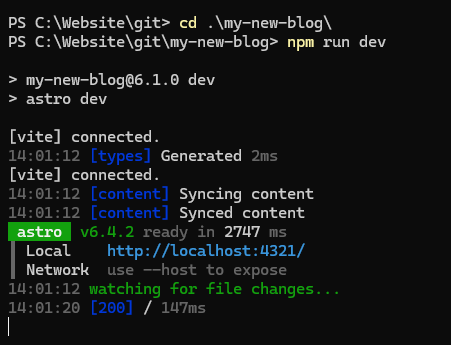
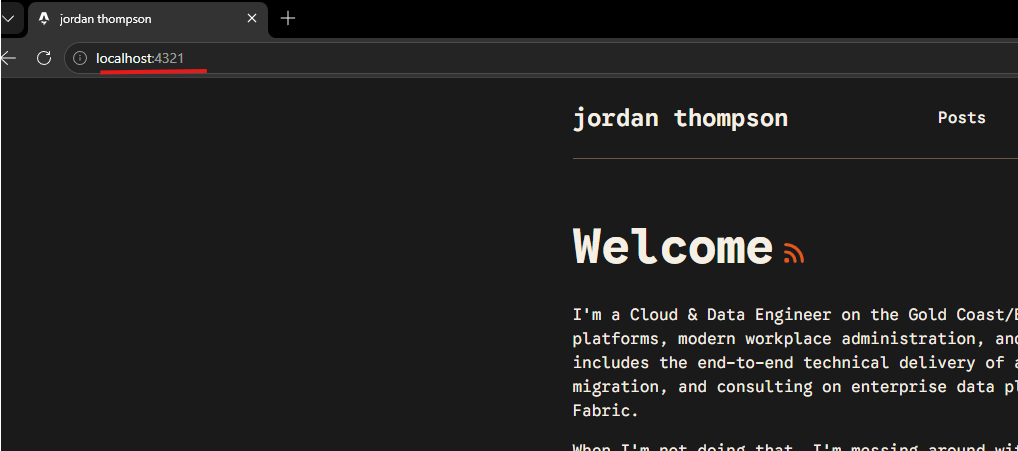
So now I have a website running on localhost (my computer) and I can see edits happen in real time. After I edit some of the content and add some copy, I’m somewhat happy with it and it’s time to figure out how to push it online.
Next, I need to determine the following:
- How can I add future posts?
- How can I deploy the website online?
- How can it be automatic?
The answer to these questions is two things: Pages CMS and Cloudflare Workers.
Things that will be great for another post, because this one is starting to get a little long.
Till next time.